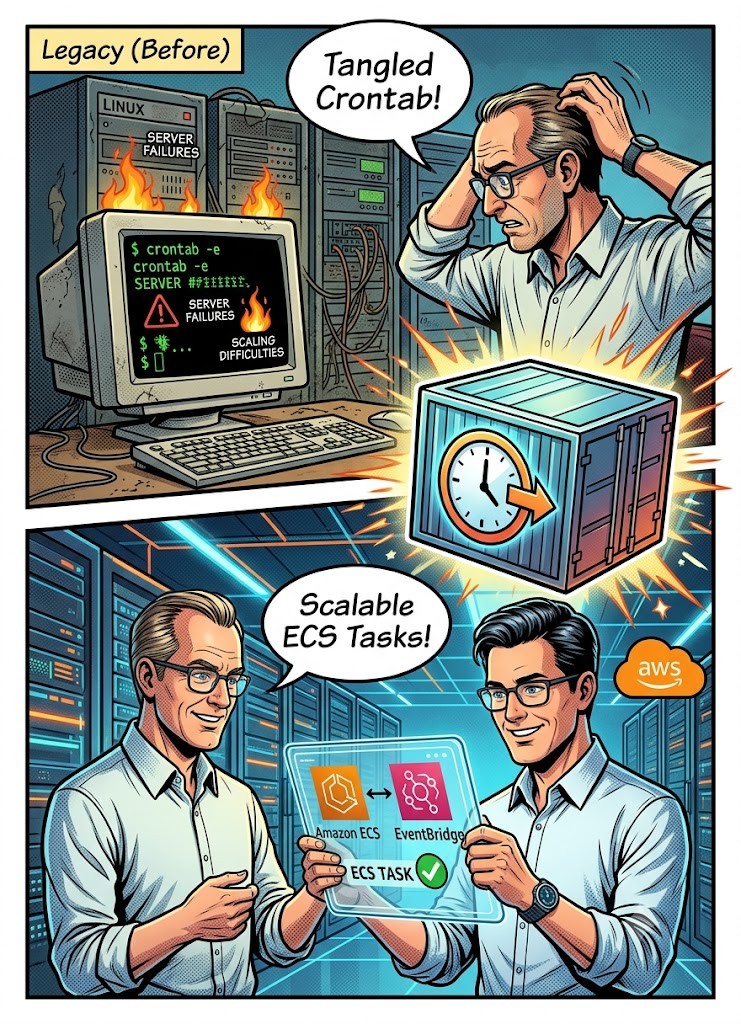
In today’s fast-paced digital landscape, automating daily tasks is crucial for system efficiency. Cron jobs have been the go-to and easiest solution for automating repetitive processes, such as backups, log rotations, and cleanup tasks. While cron jobs have traditionally been managed on Linux servers, the rise of cloud environments brings new challenges when it comes to maintaining them.
As businesses continue to migrate their workloads to the cloud, managing cron jobs on traditional Linux infrastructure becomes increasingly complex. Dealing with Issues like server failures, scaling difficulties, and configuration errors can disrupt cron job execution. In this article, we’ll explore how migrating cron jobs from Linux servers to a cloud-based solution, specifically Amazon ECS and AWS EventBridge, will improve scalability, reliability, and cost savings.
Challenges of Running Cron Jobs on Linux Instances
Cron jobs run directly on instances present several challenges that can complicate both operations and cost management.
Let’s analyze some of the key issues:
Upgrades and Compatibility
Upgrading Linux to a newer version can accidentally affect cron jobs. New updates might introduce changes that affect the behavior of existing jobs. After each upgrade, testing is necessary to ensure cron jobs continue running as expected, adding complexity and extra overhead.
Dedicated Instances
To ensure efficient execution and separation of concerns, cron jobs often require dedicated Linux instances. Depending on your use cases, you can run all jobs together (which will save some costs) or have different instances for different types of jobs. In a traditional enterprise environment, the last option is the most common because jobs could have different security requirements, and they need to be isolated from others. In both cases, the cost of having dedicated instances, without using their full capacity, is a waste of resources and, in the end, a waste of money.
Downtime During Maintenance
Cron jobs are typically responsible for important tasks, such as populating data in production systems. Any interruption in their execution (due to instance updates, restarts, or unplanned outages) can cause jobs to fail or be skipped. This results in critical data gaps or incomplete processes.
Why Cloud-Based Solutions are the Future of Cron Job Management
As more organizations utilize cloud computing for their operations, moving cron jobs to a cloud-based platform like Amazon ECS offers significant benefits. Cloud infrastructure provides built-in scalability, cost efficiency, and reduced maintenance complexity, making it an ideal solution for automating tasks in a constantly changing environment. Let’s explore why cloud-based solutions such as Amazon ECS and AWS EventBridge are an attractive option for managing cron jobs.
Cost Efficiency
A key advantage of cloud solutions is cost savings. For example, maintaining a traditional server setup for cron jobs can quickly become expensive. A dedicated instance, including storage and resource allocation, may cost around $144 per month on EC2. In contrast, running a cron job on Amazon ECS is much more affordable, with costs typically around $50 per task. This is possible because ECS optimizes resource usage, allocating resources only when needed, and supporting auto-scaling to adjust capacity dynamically.
Scalability and Flexibility
Another critical advantage of moving to the cloud is scalability. Traditional servers require manual scaling, which can be time-consuming and resource-intensive. In contrast, Amazon ECS automatically adjusts resources based on demand. This ensures that cron jobs run smoothly, even during high traffic periods, without needing to manually scale infrastructure.
Simplified Management
Using cloud-based services eliminates the need for dedicated Linux instances. Tools like AWS EventBridge make it easier to schedule and manage cron jobs, providing a centralized solution for automating and monitoring tasks. This reduces administrative overhead and minimizes the chances of human error.
Step-by-Step Guide: Migrating Cron Jobs to Amazon ECS
Migrating your cron jobs from Jenkins to Amazon ECS with AWS EventBridge involves several simple steps. Here's a breakdown of the process:
1- Build a Docker Image
The first step is to package your cron job and its dependencies into a Docker image. Docker images provide a standardized, portable way to deploy applications across different environments. Once your image is ready, you can store it in Amazon Elastic Container Registry (ECR), a fully managed container registry service.
2- Create an ECS Task Definition
In ECS, a task definition outlines how your Docker container should run, specifying the necessary resources, such as CPU and memory, along with environment variables and port mappings. You can create the task definition using the ECS console, AWS CLI, or AWS CloudFormation, depending on your preference.
The following example is a task definition for running NGINX:
3- Set Up a Scheduled Event in EventBridge
Now use AWS EventBridge to schedule when and how often your cron job should run. AWS EventBridge allows you to define cron expressions, giving you full control over job scheduling. You can set up the scheduled event through the EventBridge console or AWS CLI.
The following example creates a rule that runs every day at 12:00 pm UTC+0.
aws events put-rule --schedule-expression "cron(0 12 * * ? *)" --name test_cron
4- Create a Target in EventBridge
After setting up the scheduled event, create a rule in EventBridge to link the event with your ECS task. This target rule ensures that the task will be triggered at the specified time, and invoke the ECS task. You can create the rule using either the EventBridge console or the AWS CLI.
Example: This JSON file encapsulates all the parameters for the CLI command
Use the file created previously to create the target in EventBridge:
aws put-targets --cli-input-json file://rule-target-input.json
5- Test and Monitor
Once everything is configured, test the cron job by checking the logs produced by the ECS task. AWS CloudWatch Logs is a powerful tool for aggregating and analyzing logs, allowing you to track performance and troubleshoot any issues. You can also set up alerts based on specific metrics to keep track of cron job execution and performance.
Conclusion
Migrating cron jobs from Linux instances to Amazon ECS with AWS EventBridge offers numerous benefits, such as reduced costs, improved scalability, and streamlined management. By shifting to the cloud, organizations can automate tasks more efficiently and avoid the headaches associated with managing traditional infrastructure. With easy-to-use tools like ECS and EventBridge, businesses of all sizes can enjoy a more reliable and cost-effective solution for automating their workflows in the cloud.
" width="205px"/></svg>)


